
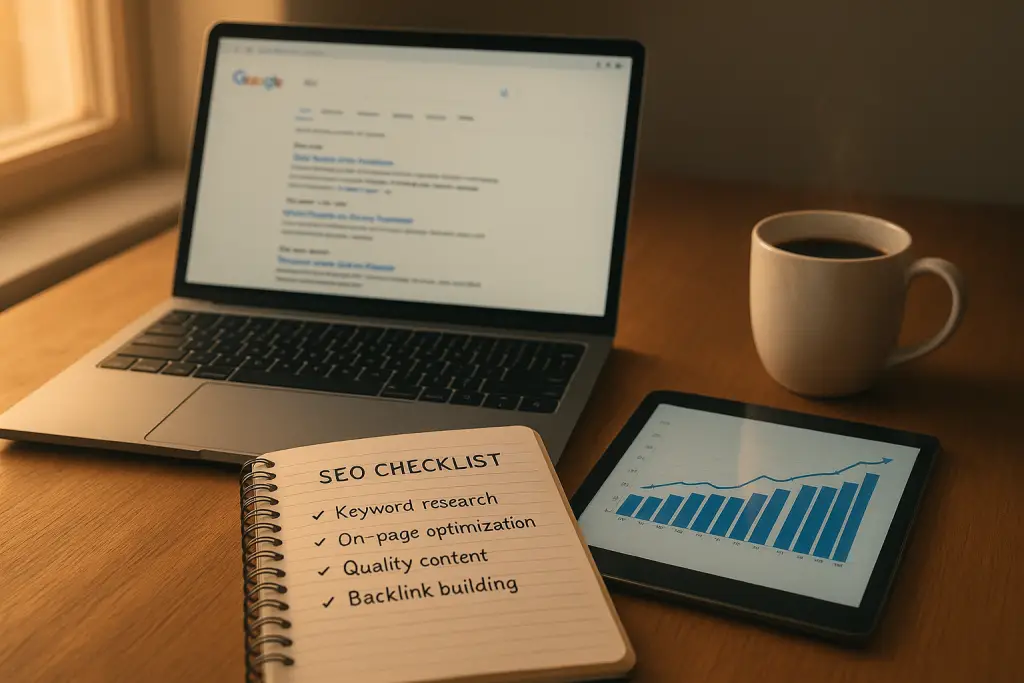
10 Simple Ways to Check Your Google SEO Position and Boost Your Traffic
Start in Google Search Console: use the Performance report to benchmark your SEO positions with real query data
If you want the most honest snapshot of where you stand in Google, start where Google talks back to you directly. The Performance report in Google Search Console shows the queries that actually triggered your pages, your average position for those queries, and how often searchers clicked. That’s not a guess, a scraped estimate, or a vanity metric. It’s your site’s own ledger of search activity.
Open Performance and set a date range that’s long enough to smooth out noise—28 days is a good default, 3 months if your audience is seasonal. Then toggle Queries, Pages, and Countries one at a time so you can see your SEO position from three angles: what people typed, which URL appeared, and where those visitors were searching from. For musicians, teachers, and creative educators, this is gold. You’ll spot patterns like “piano lessons near me” pulling impressions but sitting at an average position of 17, while “online beginner piano course for adults” is hovering around 9 and quietly generating clicks. One shows potential, the other is on the cusp of a bigger win.
Don’t just glance at the top of the list. Sort by Impressions to find keywords where you’re getting seen but not chosen. Sort by Position to spot surprising #3–#8 entries that you didn’t realize were within reach of page-one glory. And if your creative business serves a local market—say you run a private studio in Denver—use the Country filter and then layer in city-specific pages so you’re not averaging in irrelevant traffic from elsewhere.
Before you leave this report, save a comparison to “Last period” so you can measure trendlines. That way when you implement fixes from the next sections, you’ll have a clean before-and-after.
Read positions in context: combine average position with impressions and CTR to find quick wins that can move onto page one
Average position without context can lie to you. What you really want is the story that emerges when you read Position, Impressions, and CTR together. We encourage our coaching clients to hunt for three specific opportunities:
- Low position, high impressions, low CTR: This is your “we’re visible but invisible” bucket. You’re showing up, often on page two. Improve the title tag, clarify the search intent, and add a compelling meta description. For creatives, weave in specificity: “Jazz saxophone lessons for adult beginners in Chicago | Flexible evening slots” beats a generic “Saxophone Lessons — Chicago.”
- Mid position (6–12), steady impressions, okay CTR: These are quick wins. A small on-page SEO tune-up—tightening the H1, answering one missing sub-intent, adding a short FAQ—can nudge you into the top five. This is where we see creative course pages break out.
- High position (1–3), big impressions, middling CTR: You’re ranking but not irresistible. Add schema (FAQ, HowTo, Product) to earn rich results, and sharpen titles with benefits rather than fluff. For a course page: “Learn Fingerstyle Guitar in 30 Days — Daily 15‑Minute Lessons + Practice Tabs” tells a clearer story than “Fingerstyle Guitar Course.”
If you’re wondering, “How do I choose which pages to fix first?” use a simple priority lens: What’s closest to money? For example, a “Book a Trial Lesson” page sitting at position 9 deserves attention before a blog post at position 12. The goal isn’t just to check your Google position—it’s to turn improved rankings into booked sessions, course sales, or template purchases.
Account for SERP features and screen placement so a “rank 1” that sits below the fold doesn’t mislead your strategy
Here’s the tricky truth: not all #1s are created equal. On some queries, ads, video carousels, “People also ask,” or a large map pack can push organic results below the fold—especially on mobile. You might technically hold position 1, but users still need to scroll before they see you. That hurts clicks, and it can make you think your copy is the problem when the layout is the real culprit.
When you review a target query, run it on your phone and actually look at the screen layers. Is the first screen filled with videos? Consider adding a short-form video to your page and hosting it on YouTube so you can appear twice—once in the carousel and once in organic. Is there a map pack dominating? You’ll need to strengthen local signals (address consistency, reviews, categories) and create city‑specific content. Are there site links under the top results? Structure your page with clear anchors and add a table of contents so Google can show jump links and expand your footprint.
For creators and teachers, SERP features are an opportunity, not a wall. A guitar instructor might publish a “How to read TAB” tutorial with clean headings and schema, win a featured snippet, and pair it with a short demo video to grab the video carousel too. Same content, presented in multiple formats, earns multiple surfaces.
Compare mobile vs. desktop and country/device filters to see where your audience actually discovers you
If you teach local lessons, most searches happen on phones. If you sell a flagship course globally, countries and time zones matter. Use the Device and Country filters in Search Console to separate these contexts. It’s common to see a page rank #4 on desktop and #11 on mobile because of page speed, layout shifts, or a hero image that’s too tall on smaller screens.
What should you do with that insight? Do a quick mobile-first audit:
- How quickly does your hero content explain the benefit? On mobile, users should see the main promise and a “Book Trial” or “Watch Lesson 1” call to action without pinching or scrolling.
- Are your font sizes readable and your buttons thumb-friendly? If not, your CTR will suffer even when your ranking holds.
- Do you have country‑specific cues (currency, shipping, availability) for international buyers of your digital templates or memberships? When the country filter shows traction in Canada, for example, reflect that audience in testimonials and examples so they feel seen.
As a rule, if the majority of your impressions are on mobile, make decisions for mobile first. Don’t let a desktop-centric design hide the fact that your real audience is on a bus, between rehearsals, scrolling with one hand.
Check local visibility the right way: simulate location for map pack results and city‑level rankings before you drive to gigs or lessons
Local rankings are hyper‑specific. A drum teacher in Austin might rank #2 for “drum lessons” when searched from South Congress but drop to #9 from North Austin. That’s normal, because proximity is a major local factor. To check your Google SEO position locally with precision, simulate the searcher’s location.
Start with the obvious: make sure your Google Business Profile is fully built out, your categories match the lessons you teach, and your NAP (name, address, phone) is consistent across your website and directories. Then, preview results from different neighborhoods. You can use Google’s Ad Preview & Diagnosis tool in a pinch, or a local grid tracker if you manage multiple locations or want a city‑wide snapshot.
As you audit, pair local data with content gaps. Do you have a dedicated lesson page for each instrument and city area you serve? “Piano lessons in East Nashville” with photos of your studio, a map embed, and a couple of local student stories will almost always outperform a generic city page. Creative entrepreneurs who sell digital products can adapt this too: build landing pages aligned to the niche terms your buyers use—“choir warm‑ups PDF for middle school,” “band room organization templates”—so you’re hyper-relevant to their intent.
And yes, reviews matter. Ask happy students for specific reviews that mention your instrument and neighborhood. That language helps you appear for long-tail map pack searches, the ones that convert fast.
Use a dedicated rank tracker to monitor keywords at scale (daily updates, mobile/desktop splits, and local grids)
Search Console is essential, but it’s backward-looking and limited for competitive tracking. When you’re serious about growth, add a rank tracker. You’ll get daily updates, device splits, competitor comparisons, SERP feature tracking, and the ability to monitor by ZIP code or city.
The right setup isn’t complicated. Start with a core list: your money pages (bookings, course sales, templates), your top five educational posts, and the long‑tail phrases that reflect buying intent. If you teach multiple instruments or sell multiple courses, tag each keyword group so you can see which “offer family” is climbing. Set alerts for major drops so you can respond before traffic dips become revenue dips.
A quick note for creatives with seasonal cycles—studio openings in August, recital season in May, gift‑driven template sales in December: use annotations in your tracker to mark launches, content updates, and algorithm events. Future-you will thank you when you can tie ranking surges to a specific curriculum page update or a new student case study.
To keep this practical, here’s a simple comparison you can mirror when choosing your tool:
Choose what matches your business model. A single-location teacher may value grid tracking more; a global course creator may care more about device splits and international data.
Skip unreliable manual checks: why Incognito isn’t neutral and better alternatives for unbiased SERP previews
We all do it—open a private window, type our favorite keyword, and hope to see ourselves at the top. The problem? Incognito doesn’t equal neutral. You’re still influenced by location, language, and sometimes subtle session context. Plus, what you see once doesn’t reflect what the broader audience experiences over time.
Instead, use methods that minimize bias and give repeatable views. Keep leaning on Search Console for truth at scale. For spot checks, emulate location, device, and language as closely as possible. If you must eyeball a SERP, do it on mobile and desktop, and capture screenshots so you can compare layout changes over time. Better yet, rely on the rank tracker’s archived SERP snapshots; they’ll show you who appeared, which features were present, and where your pixel position likely landed.
The bigger mindset shift is this: manual checks are for curiosity, not decisions. Let data drive the work. Creative entrepreneurs have limited time—you’re teaching, recording, writing. Use tools that remove guesswork so you can focus on making great lessons and products.
Link Search Console with GA4 to connect rankings to engaged sessions and conversions—then report on what grows your business
Rankings without revenue is a trap. If your goal is a sustainable creative business—fewer random gigs, more predictable income—then you need to connect SEO outcomes to outcomes that matter: trial bookings, course enrollments, template purchases, consultation calls. That’s where linking Google Search Console with GA4 pays off.
Once linked, you’ll be able to view queries and landing pages alongside GA4 metrics like engaged sessions, events, and conversions. Build an exploration that shows which queries drive sessions that actually convert. For example, “beginner adult violin course” might produce fewer impressions than “violin lessons,” but convert three times better. That changes your content roadmap overnight.
Set up clear conversion events: “Begin Checkout” on your course page, “Book Trial Lesson,” “Download Free Lesson Plan,” “Template Purchase.” Then look for the landing pages that introduce the most converting traffic. Strengthen those pages first. Add internal links from top‑impression blog posts to these conversion workhorses. This is how we help clients move from “We rank better” to “We grew revenue 30% this quarter—without posting daily on social.”
A final tip: create a lightweight monthly report. One page. Top queries gained, top pages by conversions, actions taken, actions planned. You’ll build momentum and keep your SEO habit light enough to maintain during busy teaching seasons.
Inspect URLs when rankings stall: fix indexing and canonical issues, parameters, and request recrawls the smart way
Sometimes a page won’t climb no matter how many tweaks you make. That’s a sign to stop guessing and inspect the URL. In Search Console, the URL Inspection tool shows whether the page is indexed, which canonical Google chose, when it was last crawled, and if there are structured data errors. If Google picked a different canonical than you intended, you may have duplicates fighting each other—common with tag pages, printer-friendly versions, or “/lesson?ref=homepage” parameter URLs.
Fix the technical snags first. Consolidate duplicates with 301s, use rel=canonical correctly, and make sure only one clean URL represents your best version. If you updated a major section—added a practice routine table, new demo video, or a stack of student testimonials—hit “Request indexing” to invite a fresh crawl.
While you’re at it, look at internal links. If your flagship course page is buried three clicks deep while a random blog post has dozens of internal links, you’re sending mixed signals. Link intentionally from high‑authority pages (your most linked posts, your homepage) to the pages you want to rank. This internal “vote” is one of the simplest boosts you can control.
For creative educators who ship digital products, check that your product pages aren’t blocked by noindex or gated by scripts that hide core content. Google can’t rank what it can’t reliably read.
Protect and grow your positions: improve Core Web Vitals, refresh content, and turn rankings into revenue with offers and evergreen funnels
You’ve checked your Google SEO position. You’ve found wins, cleaned up technical quirks, and tightened intent. Now guard the ground you’ve gained and convert it into income that supports your art and your life.
First, keep your experience fast and stable. Use the Core Web Vitals report in Search Console to spot slow pages or layout shifts that frustrate mobile readers. Compress images, lazy‑load below‑the‑fold media, and keep third‑party scripts lean. Creative sites tend to be media heavy; that’s okay when you optimize. Fast pages not only please users—they tend to hold rankings better during turbulent updates.
Second, refresh content with purpose. Update lesson examples, add short clips of you demonstrating techniques, and incorporate student success stories. If you have a 2,000‑word tutorial on mic techniques for voice teachers, add a downloadable checklist, an audio A/B sample, and a brief “common mistakes” section. These small upgrades signal freshness and deepen engagement.
Third—and this is the lever many creatives skip—install simple sales assets so rankings lead to revenue:
- Create one flagship digital product: a course, a template bundle, a membership with monthly rehearsal plans. Make it the hero offer your content points to.
- Build one evergreen funnel: a free resource aligned to your top‑traffic topics (for example, “30‑Day Adult Piano Starter Plan”), followed by a helpful email sequence that invites readers to your course or a paid template.
- Package your services: offer clear tiers (Starter, Pro, Growth) for private lessons or coaching, so visitors immediately see where they fit.
You don’t need to live on social media to fill your studio or sell your course. A discoverable site, steady SEO improvements, and a few well‑placed offers can carry the load. That’s the sustainable path we champion with musicians and creative educators: fewer frantic launches, more repeatable systems.
Before you close the tab, grab your action list. Keep it simple and doable this week:
- In Search Console, pull a 3‑month Performance report and tag five quick‑win pages (positions 6–12, solid impressions).
- On each page, tighten the H1, tune the title for intent, add a 2‑question FAQ with schema, and insert a clear call to action that points to your flagship product or booking page.
- Check the URL in the Inspection tool and request indexing after your updates.
- If you serve a city, create or polish one location‑specific page with local photos, a map embed, and two short testimonials that mention your neighborhood.
- Link Search Console to GA4, set up at least two conversion events, and schedule a 30‑minute monthly review.
Will this take some effort? Sure. But it’s focused effort that compounds. Each improvement you make today helps tomorrow’s student find you faster, helps next month’s template buyer trust you faster, and helps your future self spend more time on the creative work you love.
And that’s the point. SEO isn’t about chasing algorithms—it’s about building a steady engine that brings the right people to your door, day after day, while you keep teaching, composing, recording, and creating. Keep your checks simple. Keep your moves intentional. Your rankings—and your revenue—will follow.