
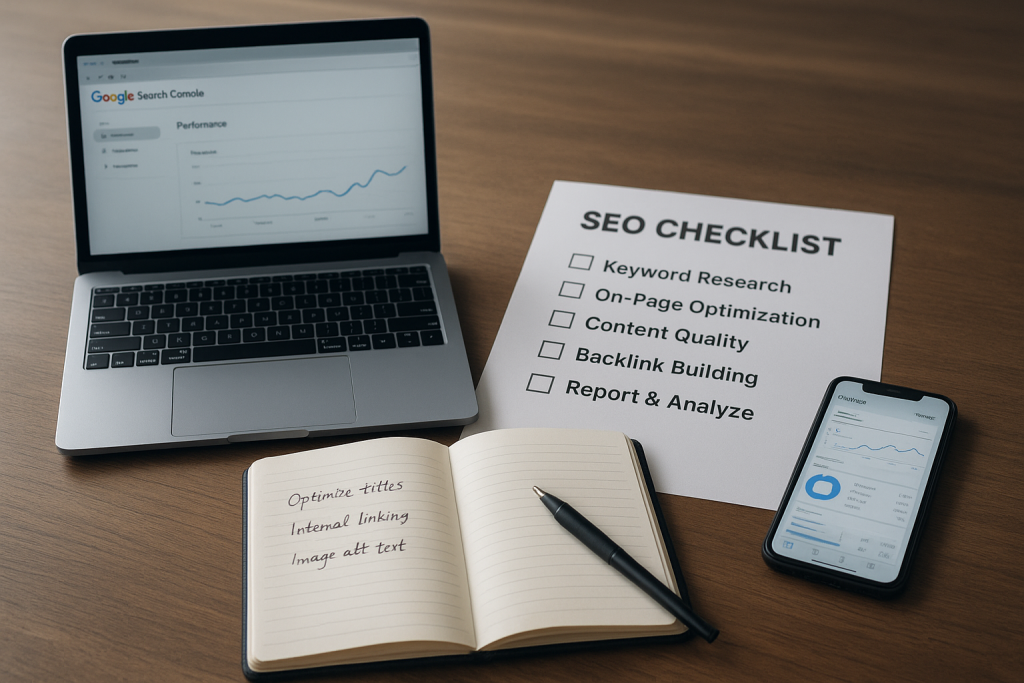
Introduction: What Google Search Console is and why creatives should use it
If you ever wondered how people find your website through Google — not social posts, not ads, but organic searches — Google Search Console (GSC) is the map. It’s a free set of tools from Google that shows how the search engine sees your site, what queries send visitors, which pages are indexed, and which technical problems are getting in the way. For creative entrepreneurs who want to sell passive offers like courses, templates, or downloads, GSC is pure gold: it surfaces ready-made demand, reveals hidden keywords you can monetize, and points out tiny technical fixes that can unlock more traffic without more posting.
You don’t need to be an SEO wizard to use it. You do need curiosity and a willingness to test. Over the next sections I’ll walk you through what to prepare, how to read the important reports, how to prioritize fixes and content tweaks, and how to turn those insights into more views, better conversions, and — most importantly — more sales of passive offers.
Before you start: prerequisites, tools, and expected outcomes with Google Search Console
Before we jump into reports and tactics, set the stage. First, make sure you have a verified Google Search Console property for your website. Verification is usually done by adding a DNS record, uploading an HTML file, or using Google Analytics. If you already use Google Analytics, link it to GSC — that gives you richer insight into behavior after clicks. You should also have a simple sitemap.xml submitted and a consistent URL structure so GSC can index your pages reliably.
Tools you’ll use alongside GSC include your content management system (WordPress, Squarespace, etc.), a spreadsheet (for tracking tests), and a text editor for meta tags and structured data edits. If you sell passive offers, ensure your sales pages and product landing pages have clear, testable conversion goals — a purchase, an email signup, or an add-to-cart event. Those conversion goals are how you’ll measure whether GSC-driven changes actually move money.
Set reasonable outcomes: within a few weeks you should be able to identify low-hanging keyword opportunities, fix critical index or mobile issues, and run one A/B test on a title or meta description. Over three months you should see measurable uplift in impressions and clicks for targeted pages, and, with the right funnel, a bump in passive-offer signups. The expectation here is practical: steady growth from optimization, not overnight miracles.
Reading the Performance report to find SEO opportunities and passive-offer triggers
The Performance report is your command center. It shows queries, impressions, clicks, click-through rate (CTR), and average position. But numbers are only useful if you turn them into actions that match your business goals: more traffic to product pages, higher conversion on course landing pages, and better discoverability for template bundles.
Start with queries that include your niche phrases: “vocal warm-up templates,” “how to promote an online course,” “guitar practice template download.” If you see queries with lots of impressions but low clicks or low average position, that’s your prompt: these are queries people search for, and Google is showing your page — but users aren’t clicking, or your page isn’t ranking high enough. Those are the opportunities you can convert into revenue by improving the page copy, the title, the snippet, or by building a better-targeted landing page that plugs into your passive-offer funnel.
How to analyze queries, impressions, clicks, CTR and average position to spot wins
When you look at queries, don’t get lost in vanity metrics. Start by filtering performance to a 3-month window to see steady trends, not day-to-day noise. Sort queries by impressions first. High impressions + low clicks often means your result is visible but not enticing. High impressions + decent clicks but low conversions suggests the traffic isn’t the right match — you need better alignment between search intent and your offer.
Average position matters but it’s not everything. A page at position 8 with 10,000 impressions and low CTR could often be jumped to position 4 with a better title, which can double or triple clicks. Small moves in average position for high-impression queries produce big returns.
Use “Pages” alongside “Queries.” If a single page shows up for multiple queries — some with strong intent — you can create tailored subpages or pivot the page to target commercial intent. For example, if your blog post on “songwriting ideas” gets queries around “songwriting template download,” add a section or a clear CTA offering a paid or free template that leads into your passive funnel.
Using page-level data to find non-performing pages to turn into passive offers
Filter pages by impressions then by low CTR and low conversions (if you can connect Analytics goals). Those pages are visible but underperforming; they’re prime candidates for conversion optimization. A practical tactic is to add a clear, low-friction offer — a free checklist or a low-cost template — above the fold, tied directly to the query intent. If the page already ranks for “how to make a practice schedule,” offer a downloadable practice schedule template in exchange for an email. That turns organic search volume into leads for your passive offers.
Another approach is content consolidation. If several low-traffic mini-posts cover similar ground, merge them into a single authoritative page and redirect the old URLs. That often improves rankings and gives you one strong landing page to promote passive products.
Finally, tag pages by product fit: which pages are best aligned to each passive offer (course, template, cheat sheet). Track these in a spreadsheet and prioritize pages that already have traffic — a little optimization on a page with existing impressions typically beats building something new from zero.
How to analyze queries, impressions, clicks, CTR and average position to spot wins
Using page-level data to find non-performing pages to turn into passive offers
Fixing technical blockers: index coverage, sitemaps, URL Inspection, and mobile usability
Technical issues can quietly sabotage everything. GSC’s Index Coverage report shows which URLs are indexed, excluded, or have errors. Common problems for creatives include pages blocked by robots.txt, pages accidentally marked noindex, or canonical mistakes that tell Google to ignore the pages you actually want ranked.
Start with the Index Coverage report. Address “Error” and “Valid with warnings” items first. Use URL Inspection to see the exact indexing status for a page. If a page isn’t indexed, check if it’s set to noindex, blocked in robots.txt, or if the page is thin or duplicate content. If everything looks fine, request indexing after you fix it.
Sitemaps matter more than people think. Submit a clean sitemap.xml that lists only the canonical pages you want indexed — your product pages, core blog posts, and landing pages. A big sitemap stuffed with tag pages and admin URLs creates noise and dilutes Google’s crawling budget for your site.
Mobile usability is critical for creatives because a lot of search traffic comes from phones. In GSC, check the Mobile Usability report for issues like clickable elements too close together or content wider than the screen. Fixing these problems can improve both rankings and conversion. Imagine a visitor who finds your course landing page on mobile but can’t click the buy button — that’s a direct lost sale.
Addressing Core Web Vitals and structured data as technical improvements will also help. Core Web Vitals focus on load speed and visual stability; if your sales pages are sluggish, prioritize image optimization, lazy loading, and caching. For product or course pages, add structured data (Product, Course, FAQ) so your pages can appear in rich results, which increases visibility and CTR.
Improving search appeal and conversions: titles, meta descriptions, structured data, and snippets
Being indexed is only step one. You must compel the searcher to click and then to convert. Titles and meta descriptions are the first handshake. They need to be accurate, benefit-driven, and aligned to the search intent you saw in GSC. Use the queries you found as inspiration: if people search “practice schedule template” and your page is “How I Practice,” change the title to include the keyword and a specific benefit: “Practice Schedule Template — 30-Minute Daily Routine for Busy Musicians.”
Meta descriptions don’t directly affect ranking, but they do change CTR. Write a short description that previews the value and includes a clear action, for example: “Download a simple, printable practice schedule and accelerate your progress — free PDF.” That tiny change often lifts CTR on queries with high impressions.
Structured data helps your result stand out. Add Course schema to online course pages and Product schema to any templates you sell. Even an FAQ schema on a tutorial page can add rich snippets that increase both clicks and trust. Use GSC’s Rich Results Test to validate your markup and watch GSC’s Enhancements reports for feedback.
Snippets and Titles testing: treat them like mini-A/B experiments. Change the title and description, wait a few weeks, then compare impressions, CTR, and clicks. Keep a changelog so you know which headlines worked. Sometimes a small tweak like adding “Free” or “Template” dramatically increases clicks for query types that imply transactional intent.
Think conversion-first. On pages you expect to drive passive-sales, make the CTA obvious and aligned to the search intent. If someone searched for “email welcome sequence template,” they expect a template. A hero section with a single-line value proposition and a bright, descriptive CTA — “Get the Email Template” — is far more effective than a vague “Learn More.”
Verification, testing, and troubleshooting common Search Console surprises
Search Console can be strange sometimes. You’ll see data delays, sample-based reporting, and sometimes sudden drops or spikes that don’t match Analytics. The verification step is practical: don’t panic on day-one changes. Instead, verify whether changes were actually deployed, check Analytics to confirm behavior after clicks, and review Google’s Indexing API or URL Inspection for real-time statuses.
Diagnosing data discrepancies, sudden impression/CTR changes, and missing pages
If impressions drop, first look for known external causes: a Google algorithm update, site-wide technical issues, or seasonal interest shifts. Then check GSC’s Coverage report for a sudden increase in “Excluded” pages or spikes in 4xx/5xx errors. If CTR falls but position hasn’t changed, suspect snippet issues: maybe a competitor’s rich result now occupies the SERP real estate, or Google now shows instant answers that reduce clicks. If pages go missing from the index, inspect canonical tags, redirects, and robots.txt.
Some specific troubleshooting tactics: if GSC shows “No data” for a property, ensure the property type matches the URL (www vs non-www, http vs https). If URL Inspection says a page is indexed but you can’t find it in search, try site:yourdomain.com “unique text” to see how Google displays it. If structured data isn’t producing rich results, validate the markup in the Rich Results Test and ensure the page is crawlable.
Another common surprise: GSC sometimes reports impressions for pages you’ve redirected or deleted. These are often historical or related to searches still pointing to old URLs. Use 301 redirects properly and keep an eye on the Performance report over weeks to ensure the old impressions phase out.
Diagnosing data discrepancies, sudden impression/CTR changes, and missing pages
Next steps and alternative approaches: funnels, content repurposing, and monitoring for growth
Once you’ve stabilized technical health and improved titles and snippets, build a repeatable workflow. Map your highest-value passive offers to the pages that already have search demand. Create a simple funnel: organic page → free or low-cost lead magnet → email sequence → core passive product. Use the queries you found as subject ideas for email sequences, turning search behavior into ongoing sales opportunities.
Content repurposing is a high-leverage move. If a blog post ranks for instructional queries, turn sections into a downloadable checklist, a short video, or a mini-course. Repurpose that content across YouTube, a podcast episode, and an email sequence to capture people across platforms while letting search continue to drive traffic to the anchor page.
Monitoring is essential. Schedule a weekly GSC check to monitor any big changes, and a monthly deep-dive where you pull query and page data into a spreadsheet. Track impressions, clicks, CTR, average position, and the conversion metric tied to your passive offer (email signups or sales). Over time you’ll see patterns: certain query words predict better conversion; specific pages are reliable lead generators. Double down on those.
If one approach stalls, try alternative SEO tactics: internal linking improvements to pass authority to product pages, creating pillar pages that consolidate related posts, and targeted outreach for backlinks when a page shows potential but needs authority. Those can improve rankings and make your passive offers visible to more buyers.
Conclusion (embedded): you don’t have to be everywhere to sell more
Google Search Console hands you the exact searchers who are already interested in what you teach or sell — you just need to meet them with the right page, the right snippet, and the right offer. For creatives who want sustainable, passive income, GSC is not a magical get-rich-quick tool; it’s a reliable partner that surfaces opportunities, exposes roadblocks, and helps you prioritize work that actually moves the needle.
Start small: fix the obvious indexing errors, optimize one page’s title and meta description, and add a clear CTA tied to a low-friction passive offer. Track results and repeat. Over months, those little wins compound into steady traffic, more leads, and more sales — all without burning out on constant promotion.
If you want a quick checklist to get started this week: verify your GSC property, submit a sitemap, identify two pages with high impressions and low CTR, improve their titles and meta descriptions, and add or update a direct CTA for a passive offer. Track the results for 4–8 weeks. That’s how you turn search visibility into real, sustainable income — with less hustle and more craft.
—
If you’d like, I can help you audit two pages in your site’s GSC data and draft title/meta variants and a short email sequence to convert the traffic into course or template sales. Want to pick two pages now?