
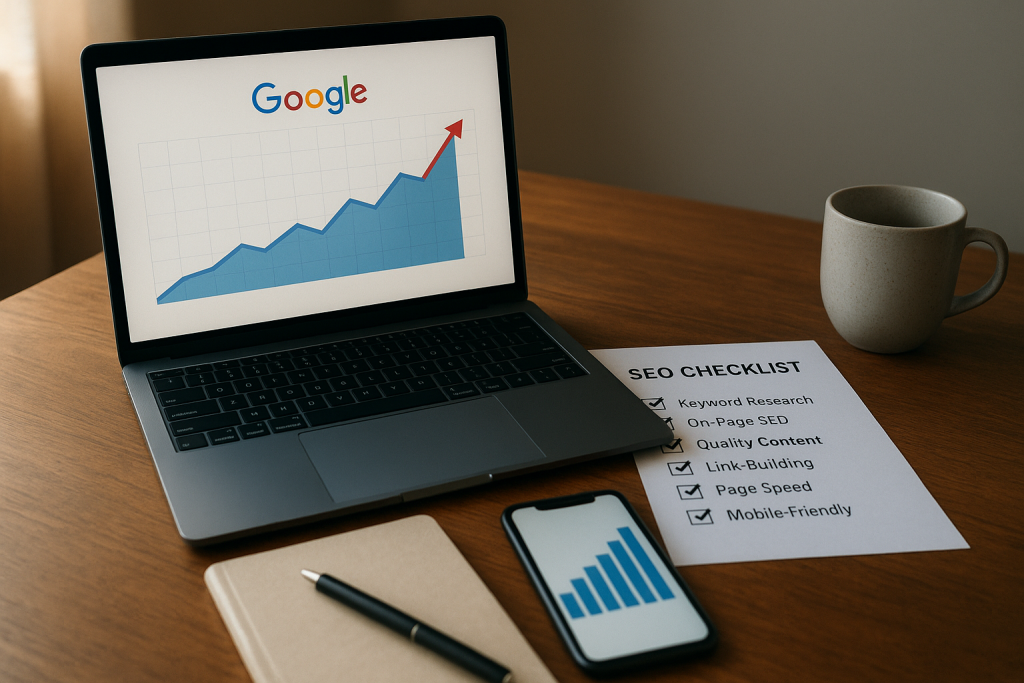
Why checking your Google position matters for creative business owners
You make beautiful work — songs, designs, courses, templates — but if people can’t find you, your offers sit quietly waiting. That’s where checking your Google position comes in. Knowing where your website, landing pages, and offers show up in Google search results is the difference between hoping someone finds you and intentionally getting booked, sold to, or subscribed to. As a creative business owner, you don’t have time for guesswork. Measuring your search position gives you a clear signal: which pages attract attention, which keywords actually work, and where to spend your energy so you can build passive income without endless promotion.
Think of search position like a spotlight. Top positions pull a crowd. Lower positions get occasional glimpses. When you check Google SEO position regularly, you learn what content earns that spotlight, which neighborhoods of search (local pack, organic results, video or image tabs) matter for your audience, and how small fixes — a clearer title, an added FAQ, a faster load time — turn into sustainable visibility. That’s the kind of leverage creatives need: more visibility with less hustle.
How Google reports rankings: what Search Console, Analytics and Maps actually show
Google doesn’t hand you a single “rank” number for every searcher. Instead it offers different windows: Google Search Console gives you search performance data tied to queries and pages, Google Analytics (or GA4) shows what those clicks actually do on your site, and Google Business Profile (formerly GMB) surfaces local visibility in Maps and the local pack. Each tool tells a different part of the story.
Search Console reports an average position for a page-keyword pair — a helpful snapshot, but not a single truth. That average blends desktop and mobile, different countries, and every click a query received during the reporting period. Analytics tells you whether those clicks turned into time on page, signups, or purchases. Google Business Profile shows you how often your profile appears in map searches, how many calls or direction requests it generated, and how reviews affect local discovery. Together, these signals give a rounded view of your real-world discoverability.
Understanding average position, impressions, clicks and local pack data
Average position is useful for trends, but it’s not a substitute for context. A page with average position 12 might be ranking top-3 for some high-value keywords and buried for others. Impressions tell you how often your page appeared in results; clicks tell you whether your title and meta convinced people to visit. A high impression with low clicks points to a weak title or meta description; high clicks with low conversions point to mismatched expectations or a weak landing experience.
Local pack data is its own beast. If your creative business offers location-based services (music lessons, studio sessions, local workshops), appearing in the local pack or on Google Maps can deliver high-intent visitors. The local pack shows up above or beside organic results and often wins clicks from people ready to act. Reviews, accurate hours/location, and consistent NAP (name, address, phone) citations across the web all affect that visibility. Check both organic search data and your Google Business Profile metrics — they work together.
A step-by-step checklist to check Google SEO position for your site and offers
You don’t need an army of tools. You need a repeatable process you can run monthly (or weekly during launches). Start with quick manual checks, layer in Search Console data, and use a simple rank tracker for keyword-level history. Here’s a checklist you can make part of your creative business rhythm.
Begin with manual checks to get a feel for what real users see. Use an incognito window, set the region if needed, and search the exact phrases your ideal client would type — e.g., “songwriting coach for musicians,” “portrait photographer near me,” or the precise name of your course. Manual checks help you spot SERP features — featured snippets, videos, image packs, ads, or the local pack — that tools can miss.
Next, open Google Search Console and pull the Performance report for the last 28 or 90 days. Filter by the page you care about and review queries, average position, impressions, and clicks. Look for queries with high impressions but low clicks — those are opportunities for better titles and descriptions. Export the top queries to see which variations of your primary keyword are actually working. If you want to “check Google SEO position” at a keyword level, this is your best free source because it’s actual Google data.
Don’t skip Google Business Profile for location-driven offers. Sign in to your profile dashboard and review how many searches and views you’re getting in the Maps and Search tabs. Note actions like calls, direction requests, and website clicks. If these are low even when your Search Console impressions are solid, your local listing may need optimization — photos, updated services, a few recent reviews, or a refined category.
Add a simple rank tracker to your toolkit. You don’t need enterprise tools for this — there are budget-friendly options and free trials that let you track a set of keywords and see position changes over time. Choose a handful of priority keywords (3–10) tied to revenue: the keyword that brings course buyers, the phrase studio clients use, or the search that finds your best blog posts. Schedule weekly checks and capture a screenshot or export so you can compare progress across months.
Finally, pair position checks with behavior data in your analytics platform. High rank but quick bounces mean your landing experience is off. Low rank but long sessions might mean the content resonates—now amplify it. If you check your Google position only by rank and ignore what people do once they arrive, you’ll miss the chance to turn visibility into income.
From quick manual checks to using rank-tracking tools and Google Business Profile scans
Interpreting the results: what to do when your position is good, average, or slipping
When your page ranks well (top 3), celebrate — then scale. Top positions are prime real estate. Reinforce them by adding internal links from related high-traffic pages, republishing refreshed content with a few new examples or updated images, and building a small outreach plan to gain a couple of authoritative links. For creatives, this could mean getting your work featured on niche outlets, collaborating with other creators, or packaging a mini-freebie that earns shares.
If your position is average (4–20), treat that as a testing ground. Average positions mean the page has potential but needs refinement. Start by optimizing the title and meta description to increase click-through rate; add a concise benefit statement and a call-to-action that matches the searcher’s intent. Consider adding an FAQ section that targets long-tail variants of the keyword. Sometimes, improving user signals — clearer headings, faster page load, mobile-friendly layout, or a stronger hero image — nudges Google to elevate the page.
If your position is slipping, don’t panic. Slippage can come from algorithm changes, new competitors, or a mismatch between the content and what searchers now expect. First, check whether the drop correlates with technical issues: did site speed degrade, did a theme update change heading structure, or did important pages get noindexed accidentally? Next, compare your page with the current top-ranking pages. Are they longer, newer, have more media, or better aligned to intent? Mirror the best parts while keeping your voice. For creatives, refreshing examples, adding short video clips of your work, or including recent testimonials can be quick, authentic boosts.
Also consider seasonal and launch effects. Slippage during a low season for your niche might be normal; a drop during a big launch could be due to cannibalization if multiple pages target the same keyword. Consolidate similar pages or create a clear content hierarchy so Google knows which page to favor.
Practical SEO fixes creatives can implement fast (content, on-page, local and technical)
Creatives need fixes that move the needle without draining creative time. Start with content clarity: make sure your page answers the searcher’s question within the first few paragraphs. If the query implies “how-to,” give a concise how-to starter; if it’s transactional, clarify pricing or what the buyer can expect. Use descriptive headings (H2/H3) that include natural keyword variations — this helps both readers and search crawlers.
Titles and meta descriptions are low-hanging fruit. Write titles that promise a clear benefit and include your target phrase where it fits naturally. Meta descriptions should summarize the value and include a call to action. You can A/B test wording over a month: small wording changes often lift click-through rates.
For creatives offering local services, local SEO changes can be fast wins. Ensure your Google Business Profile is complete and matches your website contact details exactly. Add photos of your workspace, recent projects, and a few short posts announcing events or new offers. Ask delighted clients for specific reviews (e.g., “music lessons with Tonya”) — reviews that mention services and location help local ranking. Keep local citations consistent across directories and remove duplicate or outdated listings.
Technical tweaks are sometimes tiny but powerful. Compress large images (artists and photographers, I’m looking at you), enable lazy loading, and verify your site is mobile-friendly. Fix broken links and canonical issues. If a page is loading slowly, reduce third-party scripts and streamline the content so the most important part renders quickly. Google rewards pages that serve users fast and clearly.
Finally, build internal linking intentionally. Connect blog posts and service pages with anchor text that reflects the target topics. This helps distribute ranking signals and guides visitors deeper into your site where they can convert.
Monitoring progress and turning rankings into sustainable income for a creative lifestyle
Checking your Google position is not a one-off checkbox; it’s part of a living system that feeds sustainable revenue. Treat your priority keywords as part of a funnel: visibility at the top, capture in the middle, and conversion at the bottom. Track how rank improvements correlate with lead generation and revenue. If a keyword brings visitors who sign up for your waitlist, double down on that page with a lead magnet. If another keyword brings visitors who binge your blog but never buy, build a clearer pathway from that content to a low-friction offer.
Make monitoring simple and repeatable. Block 30–60 minutes once every two weeks to run your checklist: manual search checks, Search Console review, Google Business Profile scan, and quick rank-tracker snapshot. Keep a short change log: what you updated and what happened after two, four, and eight weeks. Over time you’ll see patterns — certain content types that always perform well, or formats that earn featured snippets in your niche. Use those learnings to create templates for future content and avoid reinventing the wheel.
Remember, SEO is a long game for creatives because your time is finite. Focus on a handful of keywords that align with buyers and students, not every possible phrase. Turn search visibility into products that match your lifestyle: reusable templates, an evergreen course, or a monthly coaching slot that sells itself through organic search. The goal isn’t to chase traffic for its own sake — it’s to attract the right people who are willing to pay, book, or subscribe.
Closing thought: checking your Google SEO position is a creative habit as much as a technical one. When you check with curiosity and a plan — rather than stress — the search data becomes feedback that helps you shape offers, craft better pages, and ultimately build a business that supports a life you love. If you want a simple cheatsheet to follow every time you audit a page, you can start with these four micro-steps: verify visibility (Search Console), watch behavior (Analytics), optimize snippet (title/meta), and amplify with one promotional push (email or social). Do that consistently, and watch how small improvements compound into sustainable visibility and income.